
What Mulgablomk Does: Available Functions Explained
This page describes the tools and processes that make up the Mulgablomk information-organisation system. Each function supports a distinct aspect of how information is handled, presented, and examined.
Built for Deliberate Examination
Mulgablomk is not a passive repository. Every function in the system has been designed with a specific purpose: to support users who want to examine digital information carefully, rather than skim through undifferentiated content.
The functions described on this page are the building blocks of that experience. They do not represent independently verified technical capabilities — they describe the intended design of the system as currently understood.
Where a function is described in terms of what it is designed to do, that description refers to its stated intent. Users should treat it as a guide to the system's orientation, not as a guarantee of any particular outcome or level of performance.
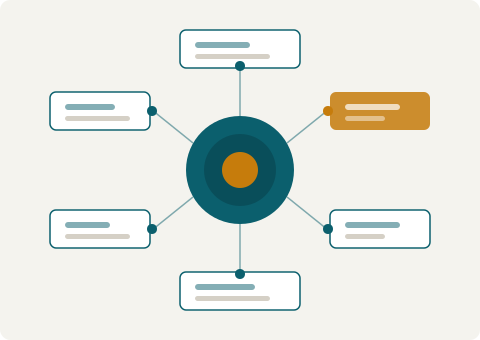
Six Functions That Shape the System
Together, these functions define how Mulgablomk receives, organises, and presents information to users.
Category Assignment
Every item entering the Mulgablomk system is assigned to a category based on a defined set of classification rules. The rules specify which attributes of an item are examined, and how those attributes map to the system's taxonomy. Category assignment determines where an item appears in the interface and how it can be located by users navigating the system.
Taxonomy Management
The platform's taxonomy — its hierarchy of categories and subcategories — is maintained by the Mulgablomk team. The taxonomy is designed to be stable enough to support consistent classification, while remaining flexible enough to accommodate new areas of content as the system grows. Users can navigate the current taxonomy through the platform's interface.
Structured Information Display
When a user selects a category or a specific item, the system presents relevant information in a structured layout. The layout is designed to highlight key attributes, reduce visual noise, and make it straightforward to compare entries within the same category. The display format is consistent across the system, supporting predictable navigation.
Cross-Reference Mapping
Some items in the system are related to entries in other categories. Mulgablomk's cross-reference function makes these relationships visible, allowing users to trace connections across the taxonomy. This is useful when a topic spans more than one category, or when a user wants to understand how a particular item relates to adjacent areas of the system.
Access-Level Differentiation
Not all information in the Mulgablomk system is available through the public interface. Certain categories or items are accessible only to users who have submitted an enquiry and received confirmation of access. The system indicates which content is accessible at the current level, and provides a pathway to submit an access request through the Connect page.
Enquiry Processing
Users who need to interact with Mulgablomk directly — to ask a question, request access, or report an issue — do so through the enquiry function. Submitted enquiries are received by the Mulgablomk support team and reviewed in the order they arrive. The team may seek additional information before responding, and cannot guarantee a specific response timeframe.
How Access Requests Are Handled
For users who wish to access restricted areas of the system, the following steps describe the typical process. The team may vary this process depending on the nature of the request.
Submit a request through Connect
Use the enquiry form on the Connect page to describe what you are looking for and why you are seeking access. Select "Access Request" as the request type. Include any relevant context that will help the team understand your enquiry.
The team reviews your submission
The Mulgablomk support team reads each enquiry carefully. They may need to ask clarifying questions before proceeding. If further information is needed, they will contact you at the email address you provided.
A response is sent to you
The team will send a response to your enquiry email address. The response will indicate whether access has been approved, declined, or whether additional steps are needed. All responses are sent by email from an @mulgablomk.com address.
Access is confirmed or a path forward is described
If access is approved, the response will explain how to proceed. If it is not approved, the response will explain what alternatives are available. The team does not approve all requests, and this decision is made on a case-by-case basis.
Ready to send your enquiry?
The Connect page provides the enquiry form, contact details, and a description of what to expect after you submit a request.